GitHub Copilot vs Microsoft Copilot: Which AI Tool Should You Learn?
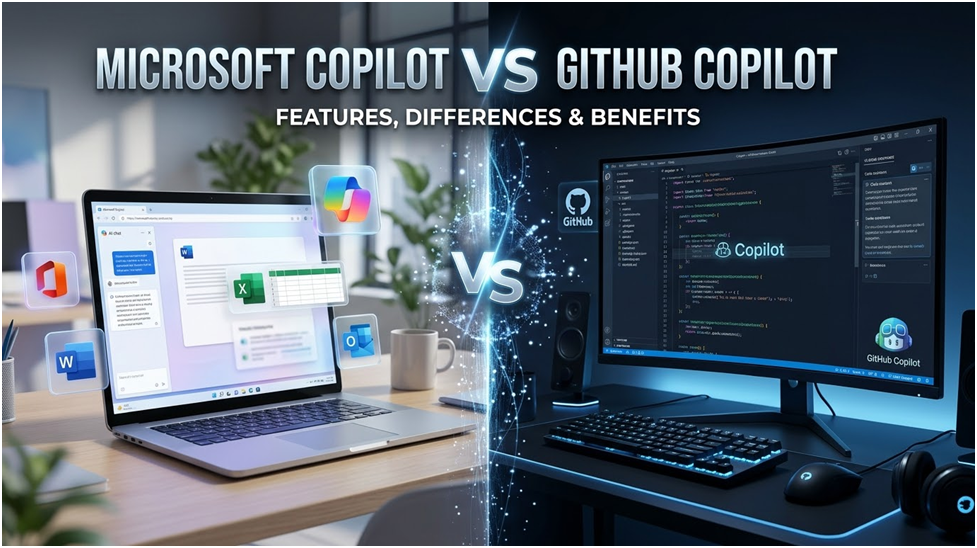
As companies quickly embrace AI-enabled productivity and development tools, Microsoft Copilot and GitHub Copilot are among the most sought-after AI technologies on the market today. From workplace process automation to AI-assisted coding, these technologies are transforming how professionals work, collaborate, and produce software. As enterprises continue to engage in AI transformation, it’s becoming increasingly vital for professionals to grasp tools like Microsoft Copilot AI and GitHub AI to stay competitive and acquire future-ready capabilities.
What Is Microsoft Copilot?
Embedded in the Microsoft ecosystem, Microsoft Copilot is an AI-powered productivity aid. Supported apps include Word, Excel, PowerPoint, Outlook, Teams, and Edge, which help users automate daily work processes and boost efficiency.
With Microsoft Copilot AI, you can write emails, get meeting notes, prepare reports, build presentations, analyze Excel data, and automate redundant activities. AI assistance may now be used by experts to speed up activities and improve business decisions, so they don’t have to spend hours manually documenting or analyzing.
Microsoft Copilot is primarily targeted at enterprise users, business teams, managers, analysts, and professionals who wish to increase efficiency at work through the use of AI-powered automation.
What Is GitHub Copilot?
GitHub Copilot is an AI pair programmer designed for developers. It interfaces with programming platforms like Visual Studio Code and helps programmers create code faster with AI-generated ideas.
GitHub Copilot may suggest code snippets, write functions, assist with debugging, produce unit tests, and even explain existing code. It supports a lot of programming languages like Python, JavaScript, Java, TypeScript, Go, and C#.
For developers, GitHub Copilot is an AI pair programmer that helps reduce repetitive coding effort and speeds up software development processes.
GitHub Copilot vs Copilot X
GitHub Copilot is an AI-powered coding assistant that suggests code snippets and functions within your IDE. It uses machine learning to provide you with real-time contextual code ideas depending on what you are currently working on.
GitHub Copilot X is an evolution of the original Copilot and comes with new and improved features, including a chat interface that allows you to ask questions in natural language, better context awareness, and better suggestions.
GitHub Copilot and Microsoft Copilot
As both products address various business challenges using AI, the discussion about GitHub Copilot Vs Microsoft Copilot is becoming more prominent.
Both tools are powered by AI, yet they serve quite distinct purposes. GitHub Copilot is about software development and coding productivity, while Microsoft Copilot is for corporate productivity and workflow automation.
The main users of GitHub Copilot are developers, DevOps engineers, cloud experts, and technical teams. It helps produce code suggestions in real time and enhances programming efficiency. For developers who work on AI apps, cloud platforms, web design, or automation projects, GitHub Copilot can be a game changer.
Microsoft Copilot, in contrast, is designed for business professionals and enterprise users. It helps automate documentation, communication, data analysis, and collaboration across the Microsoft 365 apps. More teams—from human resources to finance, sales, marketing, operations, and project management—are using Microsoft Copilot to supercharge productivity.
To summarize, GitHub Copilot helps you produce software, and Microsoft Copilot helps you operate smarter in business contexts.
GitHub GPT-4-Powered Copilot, Microsoft IDEs, and Visual Studio
Microsoft-owned GitHub has launched a new version of its Copilot programming assistant powered by GPT-4. Copilot X adds a chatbot-like code editor experience, pull request support, and AI-powered replies for software documentation to the tool’s capabilities.
GitHub’s first Copilot tool launched in 2022. The AI-powered solution is built on OpenAI’s Codex paradigm and operates inside the text editor to autocomplete lines or blocks of code. Copilot may also create code from natural language queries from developers. Microsoft says the tool writes 46 percent of the code and allows users to programme up to 55 percent faster.
GitHub Copilot Chat is not a chat window. It knows what code a developer has written, what error messages are displayed, and it’s tightly integrated into the IDEs. “A developer can get deep analysis and explanations of what code blocks are intended to do, generate unit tests and even get suggested fixes to bugs,” GitHub CEO Thomas Dohmke added.
Jobs AI Copilot Tools
As AI use grows, firms are actively seeking experts with a strong understanding of AI-powered products and workflows.
Job roles for professionals skilled in GitHub Copilot include software development, DevOps, cloud engineering, AI development, and automation. Organizations are looking for developers who can use AI tools to increase their coding pace, save human effort, and speed up the delivery of products.
At the same time, Microsoft Copilot is opening chances for experts engaged in enterprise operations and digital transformation. Companies are searching for people who can automate workflows, increase team efficiency, and implement AI into business operations.
The rising popularity of Microsoft Copilot, GitHub Copilot, and GitHub AI illustrates that AI productivity and AI-assisted development are obviously becoming mainstream professional skills.
Advantages of GitHub Copilot
One of the main benefits of GitHub Copilot is its ability to create code faster. Developers are able to deal with repetitive coding jobs more efficiently and spend more time on problem-solving and innovation. It also reduces development time by providing functions, logic, and boilerplate code on the fly.
Another key use case for GitHub Copilot is that it helps developers learn new programming languages and frameworks more efficiently. GitHub Copilot delivers contextual coding help directly in the IDE, accelerating development workflows and increasing productivity.
For enterprises, GitHub Copilot can enhance developer productivity, accelerate software delivery cycles, and enable AI-powered engineering practices.
Advantages of Microsoft Copilot
Microsoft Copilot helps enterprises increase productivity by automating repetitive office processes. It allows employees to write reports, summarize meetings, make presentations, and analyze data effectively without switching between several programs.
For organizations already utilizing Word, Excel, Teams, Outlook, and PowerPoint, it is particularly advantageous due to its integration with Microsoft 365. Microsoft Copilot AI helps businesses save time, decrease manual work, and boost cross-departmental cooperation.
Limitations and Obstacles
But the gains they bring are accompanied by limitations of both tools.
GitHub Copilot can sometimes generate incorrect or incomplete code; thus, developers still need to carefully evaluate and validate outputs. Although the GitHub Copilot concept is sophisticated, supervision by humans is required for quality assurance and security.
Likewise, Microsoft Copilot may sometimes generate generic responses or have inadequate context awareness in complex procedures. Some sophisticated features may also be dependent on licensing and enterprise subscriptions.
Understanding these constraints is critical for firms developing long-term adoption strategies for AI.
What AI Tool Should You Know?
The correct answer depends on your career aspirations.
If you are a developer, software engineer, cloud professional, or someone interested in AI-assisted coding, GitHub Copilot is the best option. It can help you accelerate your development, learn faster, and build modern AI-powered apps more efficiently.
If you’re in company operations, project management, finance, HR, marketing, or corporate productivity jobs, Microsoft Copilot is more relevant. It can help automate routine tasks and increase productivity in the workplace overall.
Knowing how to use both tools can provide a leg-up in their careers for many individuals, as firms increasingly want both technical know-how in implementing AI and experience in how to apply AI to boost productivity.
The Importance of Copilot Skills
Artificial intelligence is no longer the future, but an ever-larger essential aspect of everyday business and software development. Companies throughout the globe are throwing money into AI-powered automation, productivity, and development solutions.
As businesses increasingly adopt AI into their operations, workers who are skilled in Copilot will see enhanced career prospects, more productivity, and greater relevance within their respective industries.
5 Key Differences Between Microsoft Copilot and GitHub Copilot
Microsoft Copilot and GitHub Copilot obviously have more than one characteristic that sets them apart. You will find all the important ones below, from the range of usage to the functionalities provided.
1. Scope of Use
Microsoft Copilot is intended to boost productivity for all users who utilize Microsoft products as part of their work. GitHub Copilot, in contrast, is a platform for technical users and developers who have to do programming and development activities.
2. Supported Applications
GitHub Copilot is available on a range of programming platforms, including Visual Studio Code, Visual Studio, Neovim, and the JetBrains family of integrated development environments (IDEs). Microsoft Copilot connects with Microsoft 365 apps, Microsoft Viva, Microsoft Power Platform, and Microsoft Azure. It therefore provides support in products including Teams, Word, Excel, Power Automate, Power BI, and some Azure services to manage the corporate IT infrastructure.
3. Functionality
Microsoft Copilot comes with a wide array of functions designed to make user activities easier within the primary Microsoft products, like summarization of meetings in Microsoft Teams, summarization of emails in Outlook, and content creation in SharePoint, PowerPoint, and Microsoft Viva. It also allows you to develop automated workflows with Power Automate or construct a tailored chatbot in Microsoft Copilot Studio, all from a single prompt and in minutes.
In contrast, GitHub Copilot is focused on generating lines of source code and functions, based on the information that the user shares and taking into account the context of the comments and the software solution that the user is building.
4. Collaboration Method
Microsoft Copilot’s collaborative approach is founded on extensive integration with all applications inside the Microsoft ecosystem. GitHub Copilot is a tool, in contrast, that is built to aid pair programming, a practice that involves cooperation between two or more developers in the same development environment.
5. Dataset and Training
Microsoft Copilot’s capabilities are powered by combining the power of OpenAI’s Large Language Models with data from Microsoft Graph, the backbone of Microsoft’s digital workplace. GitHub Copilot is built on a separate AI system, also created and trained by OpenAI. Codex is a tool for more flexible support when developing code.
FAQ About Microsoft Copilot vs. GitHub Copilot
Here are some of the most common questions we get about the differences between Microsoft Copilot and GitHub Copilot based on the content of our article.
What Is Microsoft Copilot?
Microsoft Copilot combines the Large Language Models from OpenAI with Microsoft Graph data to drive productivity across Microsoft 365, Viva, Power Platform, and Azure apps. It helps with writing documents, analyzing data, making presentations, and automating tasks.
What Is GitHub Copilot?
GitHub Copilot is an AI-powered code assistant developed by GitHub and OpenAI. It helps developers write code faster and more efficiently by suggesting entire lines or blocks of code as they type.
How Does Microsoft Copilot Increase Productivity?
It automates operations within Microsoft apps, handles contacts, makes presentations, and simplifies IT infrastructure on Azure.
How Does GitHub Copilot Assist Developers?
It suggests code, automates repetitive coding processes, and supports collaborative development activities by integrating with numerous IDEs.
Are Microsoft Copilot and GitHub Copilot the Same Artificial Intelligence (AI) Technology?
Both use models from OpenAI but with distinct databases. Microsoft 365 Copilot brings together LLMs and Microsoft Graph (emails, meetings, and docs). GitHub Copilot leverages OpenAI’s Codex model, trained on a vast corpus of public code repositories, to offer context-aware code suggestions and completions.

The Evolution of Design: From Bezels to Bezel-Less in Technology

UNDERSTANDING THE DIFFERENCE BETWEEN CPU AND GPU

Exploring the Steam Deck GPU: Performance and Graphics Card Equivalent
About Author
