Microsoft Copilot vs ChatGPT – The Best AI Assistant for Business Productivity
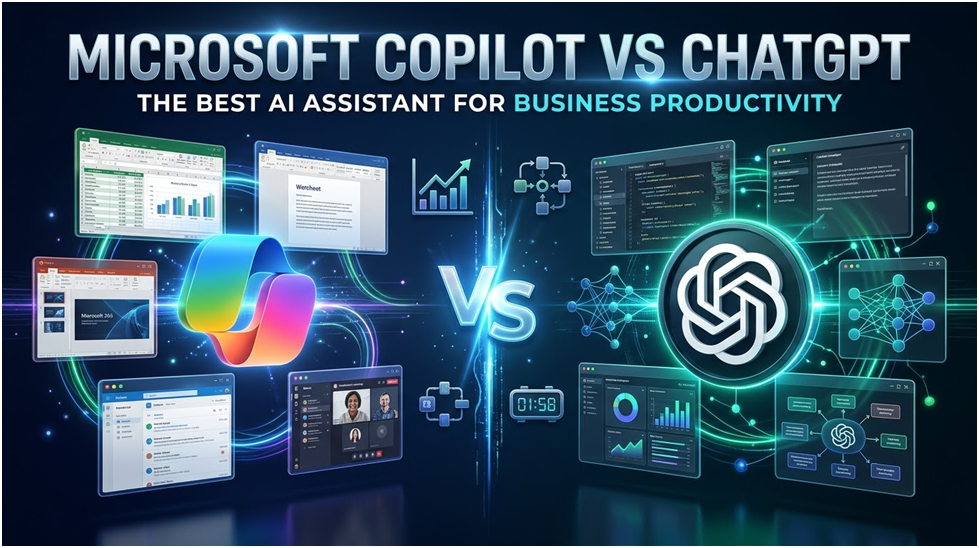
You have most likely tested ChatGPT, Microsoft Copilot, or both for emails, meetings, documents, and analysis if your company already uses Microsoft 365. The true enterprise question, however, is not just which AI tool provides superior results, but also which technology securely integrates with your business data, workflows, compliance models, and employee behaviours.
This guide explains the differences between Microsoft Copilot and ChatGPT, where each tool works best, and why Copilot frequently outperforms ChatGPT for business efficiency.
Because enterprise AI productivity depends on workflow integration, business context, governance, and secure adoption, Microsoft Copilot vs. ChatGPT is important. While a content-writing tool is helpful, a tool that comprehends your meetings, files, permissions, and collaboration history can have a far greater influence on productivity.
How Does Microsoft Copilot Increase Business Productivity?
Within well-known productivity tools, Microsoft Copilot, a corporate AI assistant integrated into Microsoft 365 apps, assists users in creating, summarising, analysing, and acting on work information. Its greatest benefit is that it functions similarly to the real jobs that workers already complete on a daily basis.
How Microsoft Copilot Operates in Microsoft 365
Copilot integrates user-accessible organisational data, Microsoft Graph, Microsoft 365 apps, and large language models. For instance, a sales manager can use Copilot to construct a PowerPoint deck using authorised documents, draft a follow-up email in Outlook, and summarise a Teams meeting.
Copilot lessens app switching. Because Copilot is currently available within the Microsoft 365 environment, employees do not need to transcribe meeting notes, email threads, or document information into a separate AI tool.
Why Copilot Gains an Advantage from Microsoft Graph
By basing AI replies on organisational context and permission-aware workplace data, Microsoft Graph provides Copilot with an enterprise advantage. For instance, Copilot shouldn’t use a confidential SharePoint file to provide a response for a user who doesn’t have access to it.
This is significant because workplace AI needs to adhere to the same access rules that safeguard emails, documents, chat rooms, and collaboration areas. Copilot may assist companies in scaling AI while upholding governance by utilising Microsoft 365 rights.
Where Microsoft Copilot Is Most Effective
Workflows involving meetings, papers, spreadsheets, presentations, and email that heavily rely on Microsoft 365 are where Microsoft Copilot excels. For instance, a project manager can create a PowerPoint status report, write a Word update, extract action items, and summarise a Teams discussion using Copilot.
Additionally, companies that now use Microsoft Purview, sensitivity labels, retention policies, and identity-based access controls will find Copilot very helpful. IT teams can apply well-known governance procedures to AI-assisted work using these rules.
How Does ChatGPT Increase Business Productivity?
On a versatile conversational AI platform, ChatGPT assists business users in creating content, analysing data, coming up with ideas, writing code, and supporting flexible knowledge of work. Its adaptability to a wide range of roles, teams, tools, and business situations is its primary strength.
How Business Teams Can Benefit from ChatGPT
By providing users with an adaptable AI workspace, ChatGPT helps business teams. For instance, a marketing team can use ChatGPT to transform preliminary campaign notes into a content calendar, email sequence, LinkedIn post, or landing page outline.
ChatGPT can also assist with analytical and technical tasks. Developers can use ChatGPT, for instance, to compare database design possibilities, explain errors, examine code logic, and generate API documentation.
How ChatGPT Manages Security and Business Data
Business privacy, admin controls, encryption, and enterprise security capabilities are all built into ChatGPT Business and Enterprise. For instance, OpenAI claims that models for commercial goods are not automatically trained using business data.
However, to comprehend internal business operations, ChatGPT typically requires uploaded files, linked apps, or user-provided context. For instance, before ChatGPT can respond based on company-specific data, a user might need to connect to SharePoint, Google Drive, Slack, GitHub, or other services.
Workflow Integration: Which Tool Is Better for Everyday Tasks?
When employees are already using Microsoft 365, Microsoft Copilot works better for everyday business tasks. For instance, HR staff can create leadership slides in PowerPoint, summarise Q&A in staff meetings, and produce policy documents in Word without ever leaving familiar tools.
However, ChatGPT works better when work isn’t restricted to Microsoft 365. For extensive ideation and synthesis, a product team utilising GitHub, Slack, Figma, Jira, and user research files could favour ChatGPT.
Business Context: Which Tool Is Better at Understanding Organisational Data?
Because Microsoft Copilot is built around Microsoft Graph and tenant permissions, it has a greater default advantage for Microsoft 365 business contexts. For instance, in the Microsoft 365 environment, a manager can request that Copilot summarise emails, meetings, and project files that are accessible.
However, when linked to authorised business tools, ChatGPT can become extremely contextual. For instance, a business can utilise ChatGPT to analyse files, create summaries, and facilitate cross-functional processes by connecting to authorised knowledge sources.
Which Governance Tool Is Better for Security and Compliance?
When a company already uses Microsoft 365 security, compliance, identity, and data protection policies, Microsoft Copilot has a governance advantage. For instance, corporate content utilised in AI processes can be protected with the aid of Microsoft 365 sensitivity labels, retention regulations, and access rights.
Strong security controls are offered by ChatGPT Business and Enterprise; however, independent governance planning is necessary. For instance, companies still need to specify which users, files, connectors, and business data are compatible with ChatGPT.
When Should Businesses Use ChatGPT or Microsoft Copilot?
Businesses should employ ChatGPT for cross-platform AI activities, flexible thinking, creative work, and coding support, and Microsoft Copilot for Microsoft 365-centred productivity. Both technologies, with well-defined policies, are frequently used in the most effective AI strategy.
Microsoft Copilot: When to Use It
When your team uses Microsoft 365 extensively and requires AI for everyday productivity tasks, choose Microsoft Copilot. Leadership teams can use Copilot, for instance, to produce PowerPoint decks, analyse Excel reports, compose updates, and summarise sessions.
Additionally, Copilot works well where access control and data security are crucial. AI that operates within the current Microsoft 365 governance bounds, for instance, can be advantageous to the financial, legal, HR, and operations departments.
When to Make Use of ChatGPT
When teams require a versatile AI assistant for open-ended tasks that might not be housed within Microsoft 365, use ChatGPT. For instance, a consultant can use ChatGPT to develop exploration questions, refine service positioning, and explore proposal strategies.
ChatGPT is also excellent for organised reasoning, research assistance, coding, and creative drafting. For instance, analysts can use it to summarise uploaded data, marketers can use it to generate marketing ideas, and developers can use it to explain errors.
When to Combine the Two
When your company requires flexible AI help outside of Microsoft 365 and controls Microsoft 365 productivity, combine Microsoft Copilot with ChatGPT. For instance, a team might utilise Copilot to finalise a proposal in Word and PowerPoint using authorised internal content after using ChatGPT to generate ideas.
Therefore, “Which AI wins?” is not a better enterprise question. “Which AI should support which workflow under which governance rules?” is a more pertinent question.
Which Microsoft Copilot and ChatGPT Use Cases Are Ideal for Business Teams?
The best use cases for ChatGPT and Microsoft Copilot are those that enhance output quality, safeguard company data, and minimise repetitive knowledge of work. Practical procedures, not extensive testing, are the first steps towards successful AI adoption.
Typical use cases for Microsoft Copilot include:
- Summaries of team meetings that include decisions and action items
- Drafting an Outlook email based on the context of a chat
- Word document production with files and notes
- PowerPoint creation using authorised corporate material
- Excel analysis for trends, summaries, and formulas
- Discovering material in SharePoint with permission-aware context
Typical use cases for ChatGPT include:
- Writing a proposal based on preliminary specifications
- Debugging assistance and code explanation
- Analysing data from files submitted
- SOP development for operations groups
- Support teams’ customer service scripts
- Summaries of market research for leadership talks
What Comes Next for Businesses Comparing ChatGPT vs. Microsoft Copilot?
Businesses comparing ChatGPT and Microsoft Copilot should establish governance guidelines, assess productivity results, map each tool to certain business processes, and conduct a controlled pilot. Purchasing licences is not enough for an effective AI approach.
- Make a workflow inventory first. Identify recurring tasks in email, meetings, reports, sales proposals, customer service, procurement, HR, finance, and project management, for instance.
- Describe authorised use cases for AI. For instance, limit sensitive data until appropriate controls are in place, permit ChatGPT for brainstorming and non-confidential research, and permit Copilot for Teams recaps and Word drafts.
- Evaluate business results. Track time saved, document quality, adoption rate, reporting effectiveness, meeting follow-up completion, and support ticket reduction, for instance.
- Create training that is role-based. For instance, executives want meeting, decision-making, and board-reporting workflows; sales users require proposal workflows; and financial users require Excel and reporting scenarios.
In Conclusion
The debate between Microsoft Copilot and ChatGPT is about where AI should fit into your workplace productivity model, not about two identical AI solutions. Because Copilot integrates productivity with organisational governance, respects Microsoft 365 rights, and operates within the tools that employees already use, it offers an advantage to Microsoft 365-based organisations.
However, ChatGPT continues to be an effective supplementary tool for cross-platform workflows, flexible reasoning, creative writing, coding help, and data analysis. The most effective workplace AI approach frequently makes use of ChatGPT for more general knowledge of work and Copilot for controlled Microsoft 365 productivity. TMR Consulting can assist you with determining Microsoft 365 Copilot readiness, defining governance policies, identifying high-value use cases, configuring Microsoft 365 security controls, and training users for actual productivity results if your company wishes to implement AI safely and practically. To find out how TMRC can assist your Copilot and enterprise AI adoption journey, get in touch with us.

Unmasking the Truth: Are Motherboard Screws Universal?

Maximizing Your PS5 Experience: A Deep Dive into FPS Performance

How to Measure Monitor Size: A Step-by-Step Guide
About Author
